How to get AK FlowBook on TradingView
Both versions are invite-only TradingView scripts: there is nothing to download or copy. You send us your TradingView username, we add it to the script, and the indicator appears in your TradingView account.
First: find your TradingView username
- Open TradingView and log in.
- Tap your profile picture (top right). The name shown there is your username.
- It is also the last part of your profile address: tradingview.com/u/YourName/
- Your email or display name will not work. We never need your password.
Lite (free): 3 steps
Open the Lite page
Go to akorderflow.com/tradingview/ (link below).
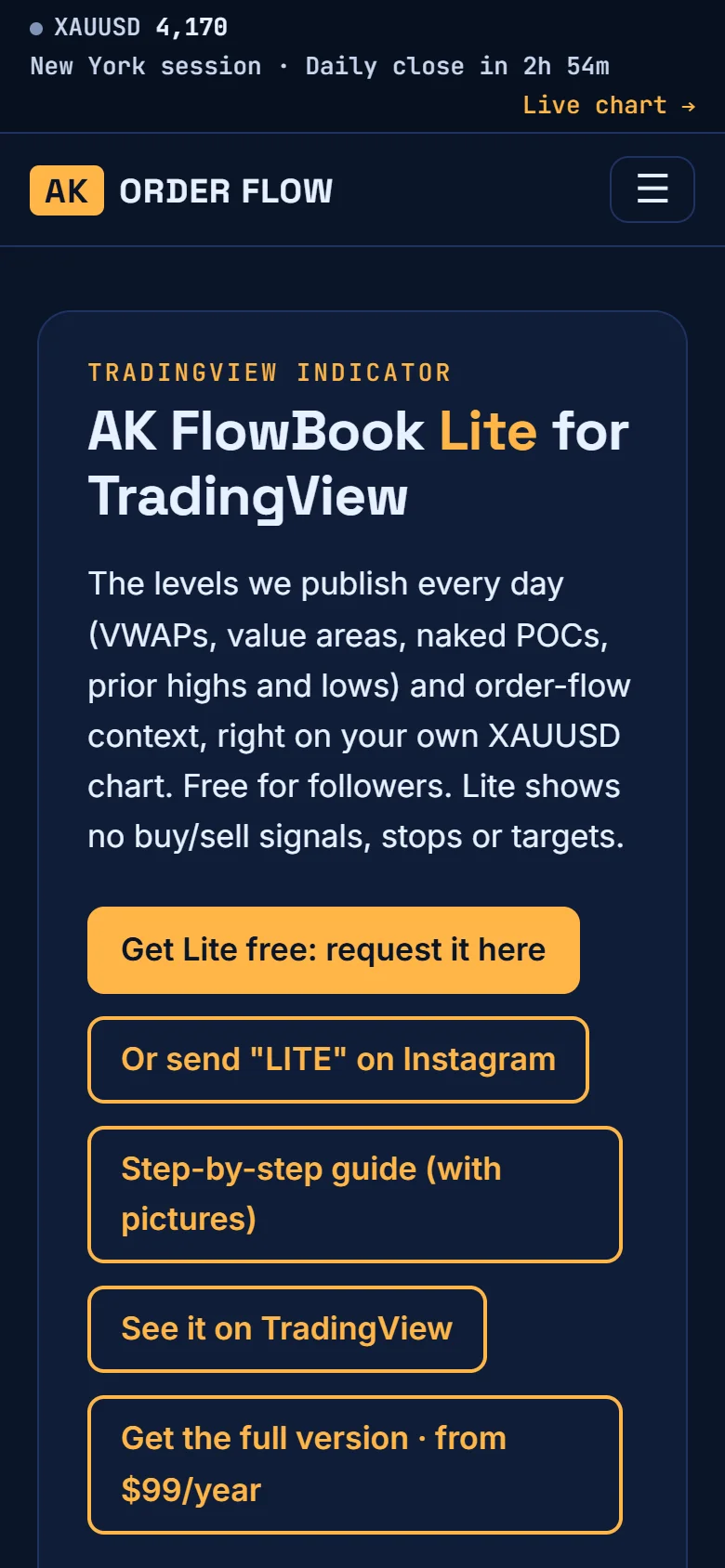
Fill in the form
Your email and your TradingView username, then tap “Send my username”. If the username does not exist on TradingView, the form tells you straight away.
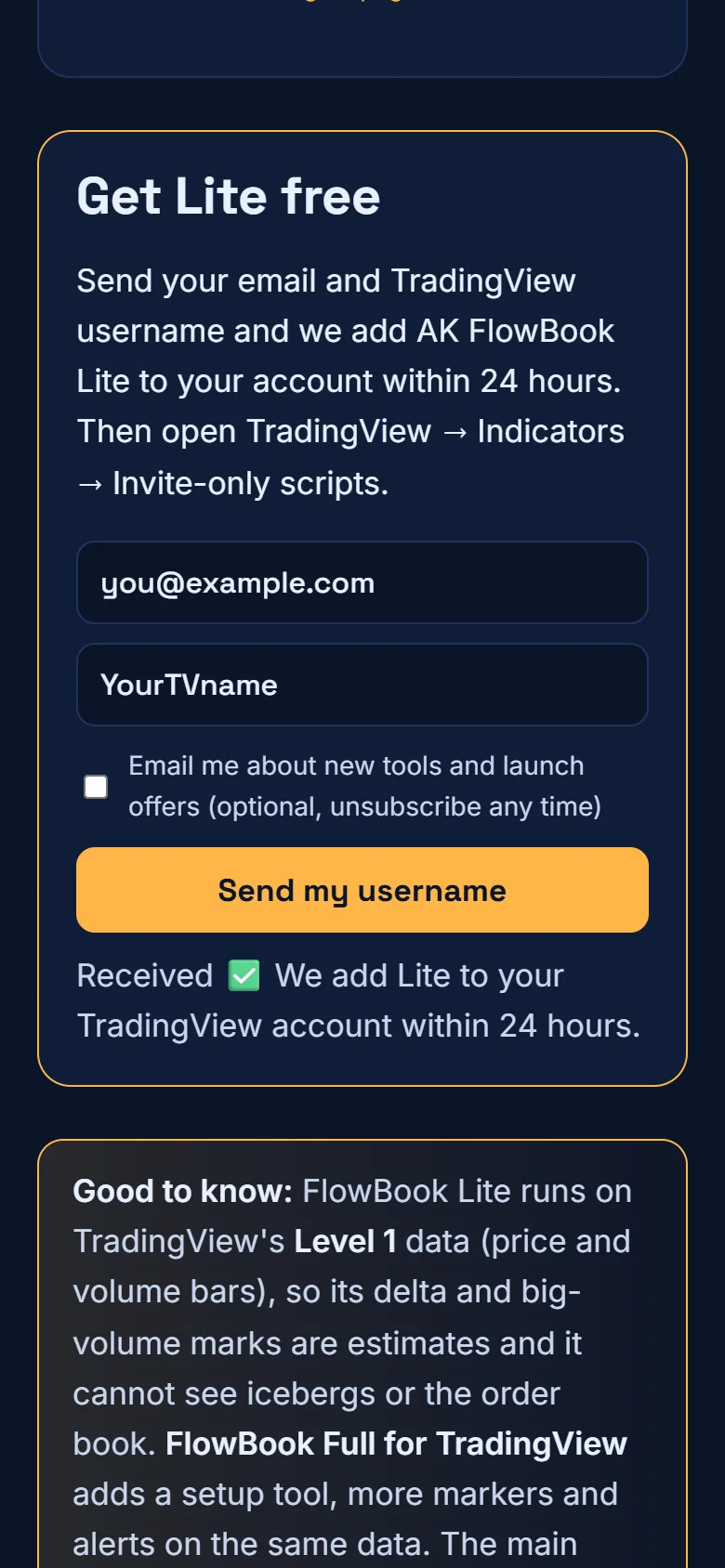
Wait up to 24 hours
We add your username to AK FlowBook Lite. Then add it to your chart (last section).
Full (paid): 5 steps
Open the pricing page
Go to akorderflow.com/pricing/ and compare Lite and Full.
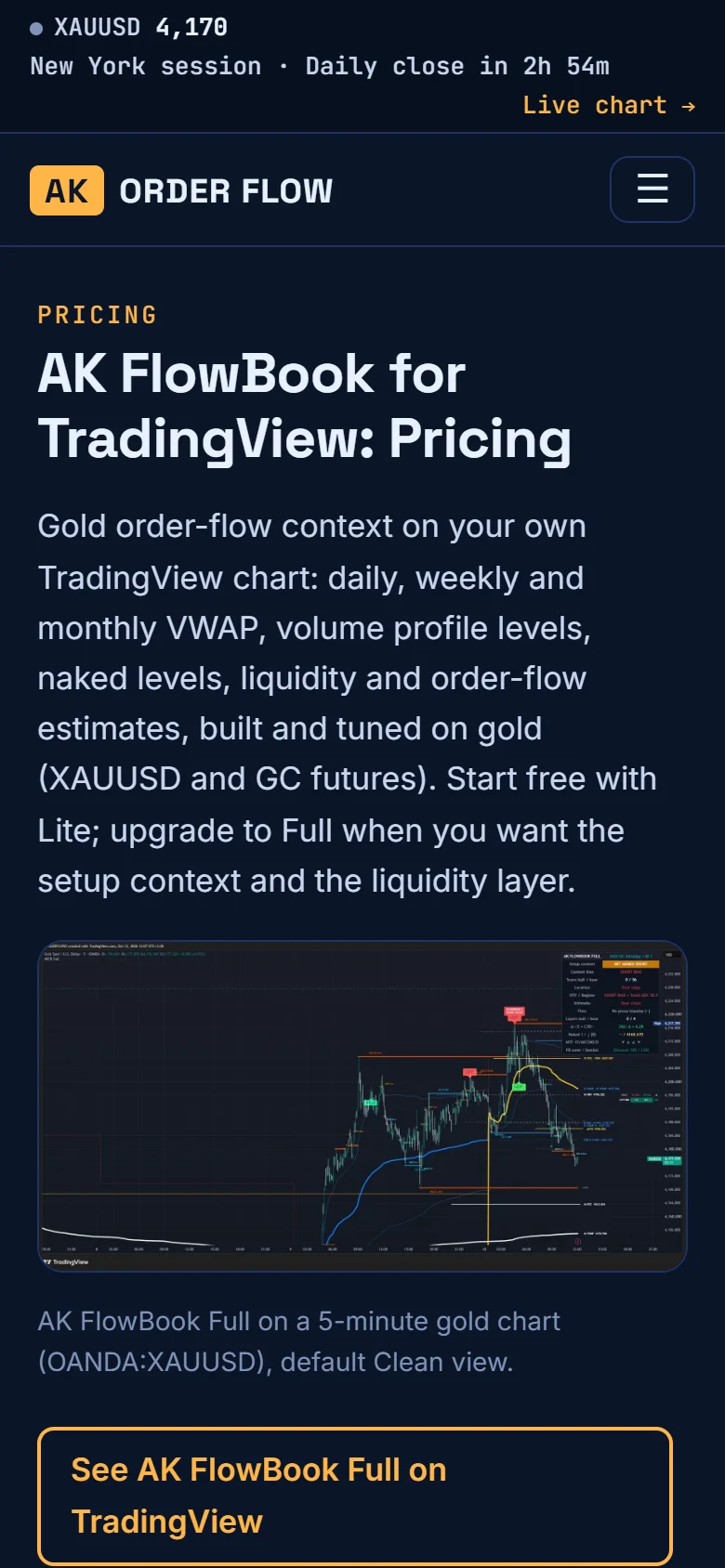
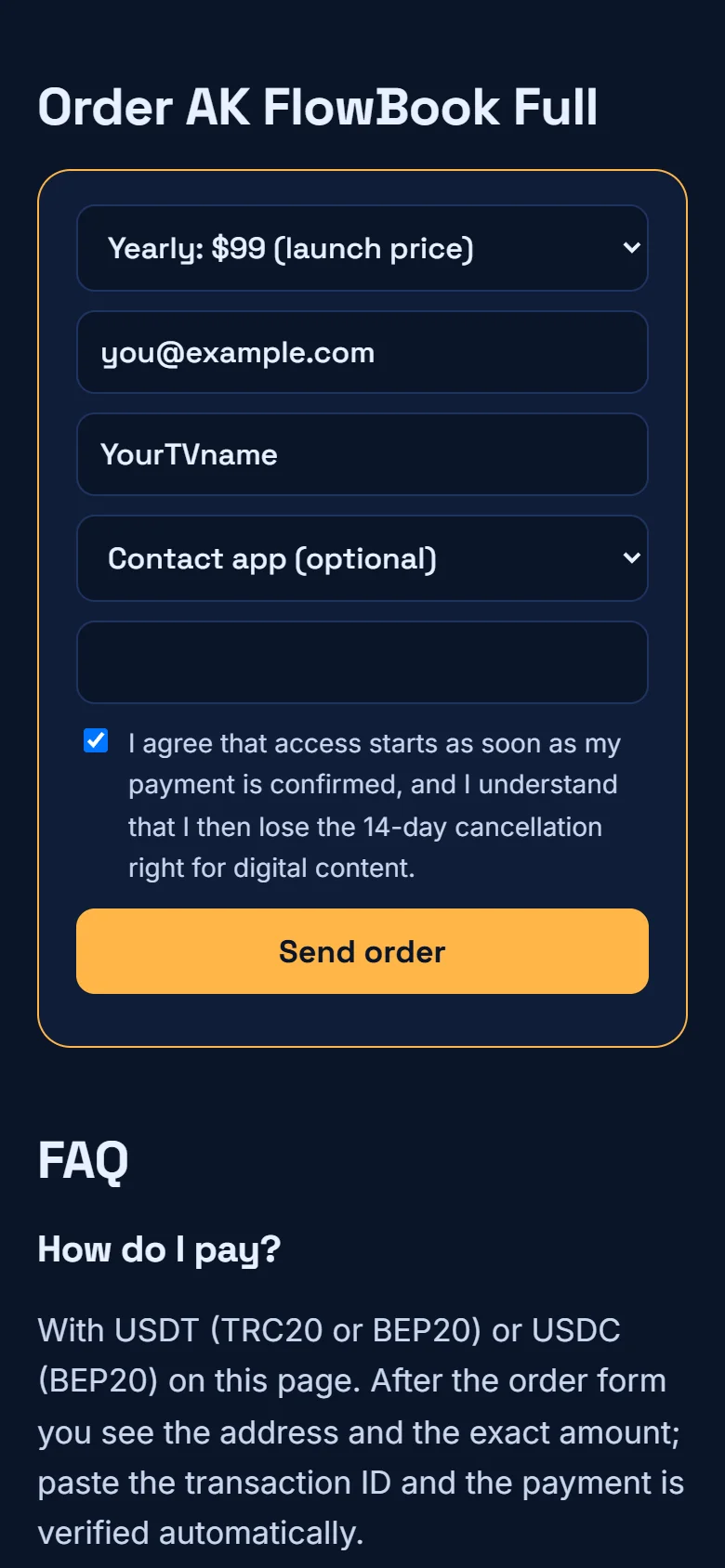
Fill in the order form
Choose yearly or monthly, enter your email and TradingView username, tick the access box and continue.
Send the payment
The payment box opens. Choose the network (USDT on TRC20, USDT on BEP20 or USDC on BEP20), send the exact amount to the address shown (copy it or scan the QR). Send on the same network you selected.
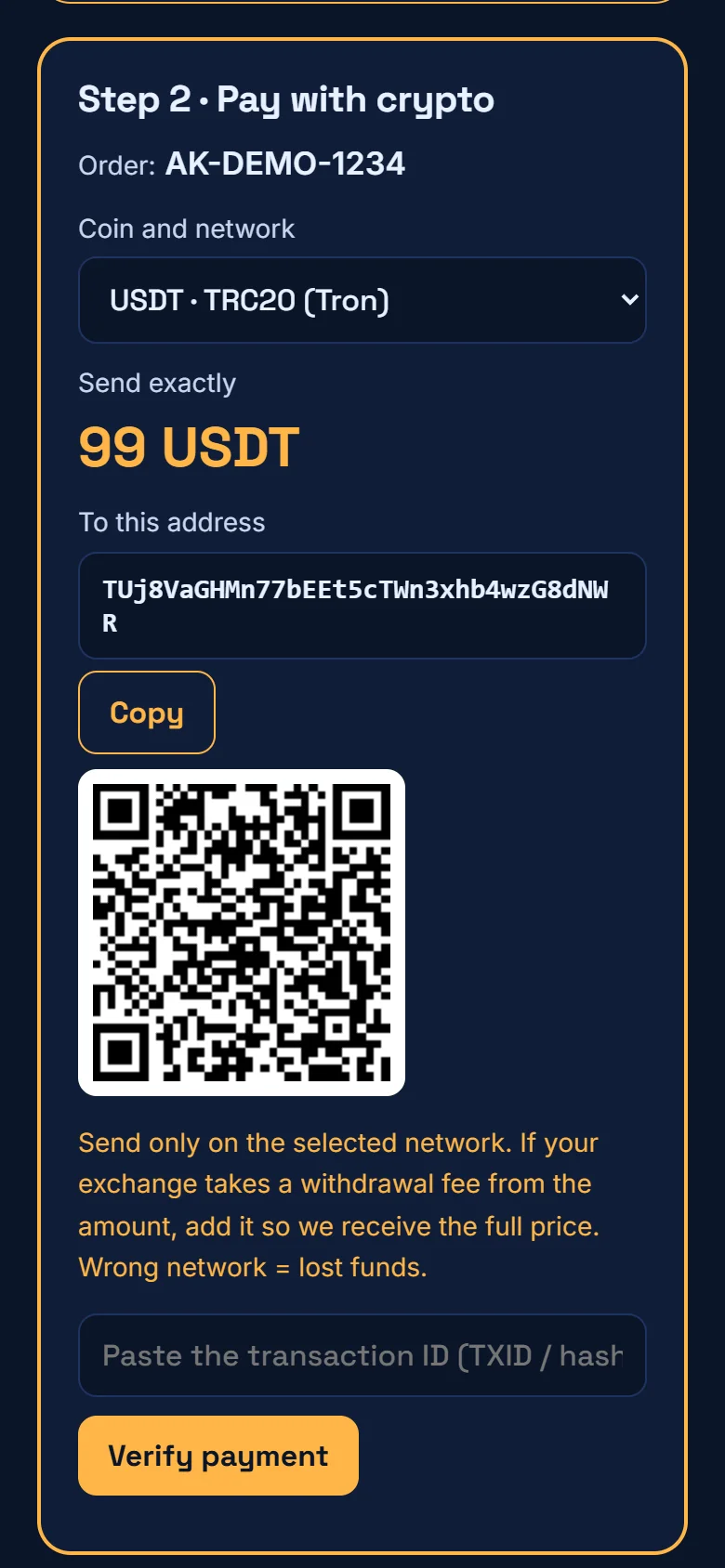
Paste the transaction ID
In your wallet, open the payment and copy its transaction ID (also called TXID or hash). Paste it and tap “Check payment”. The blockchain is checked automatically and you get a private status link.
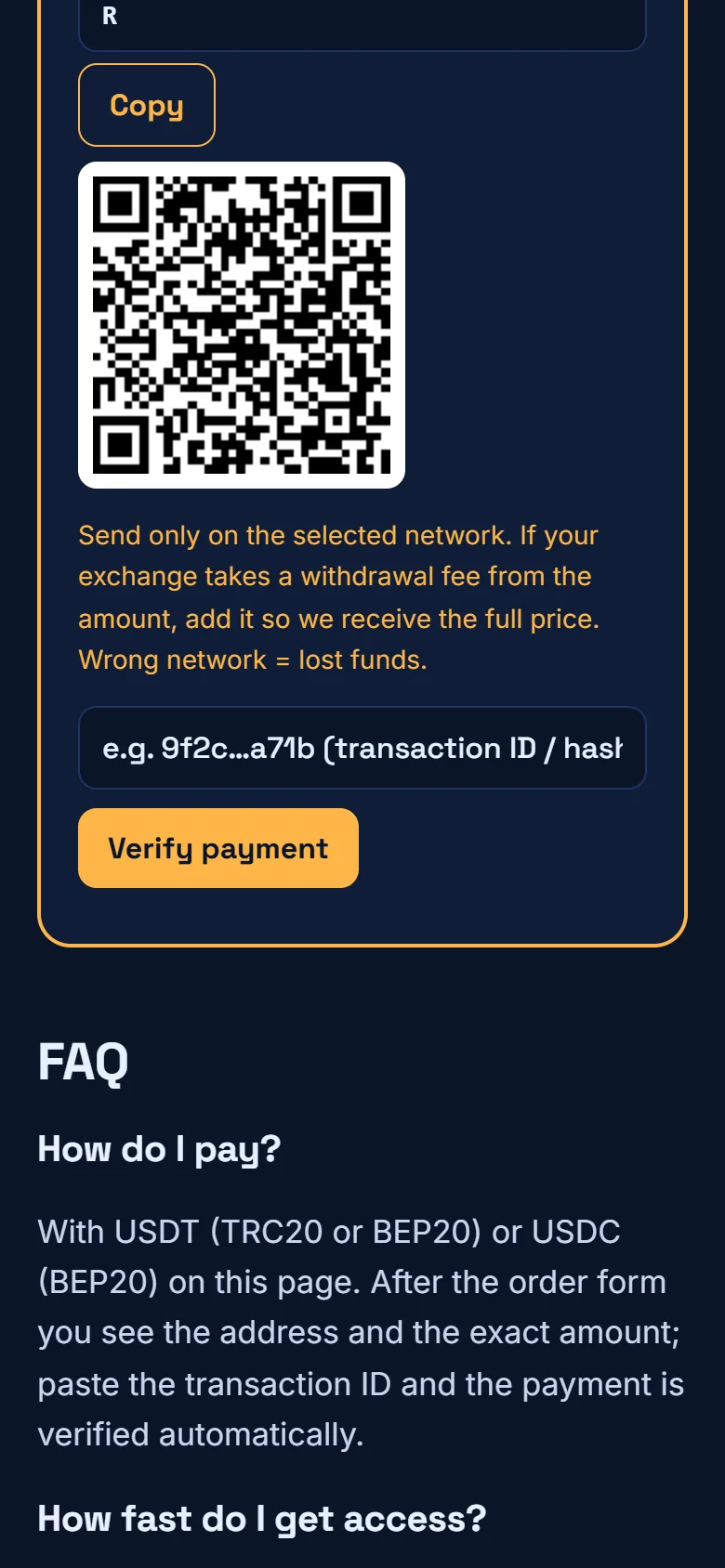
Access within 24 hours
We add your username to AK FlowBook Full; your status page then shows “access added”.
Add it to your chart
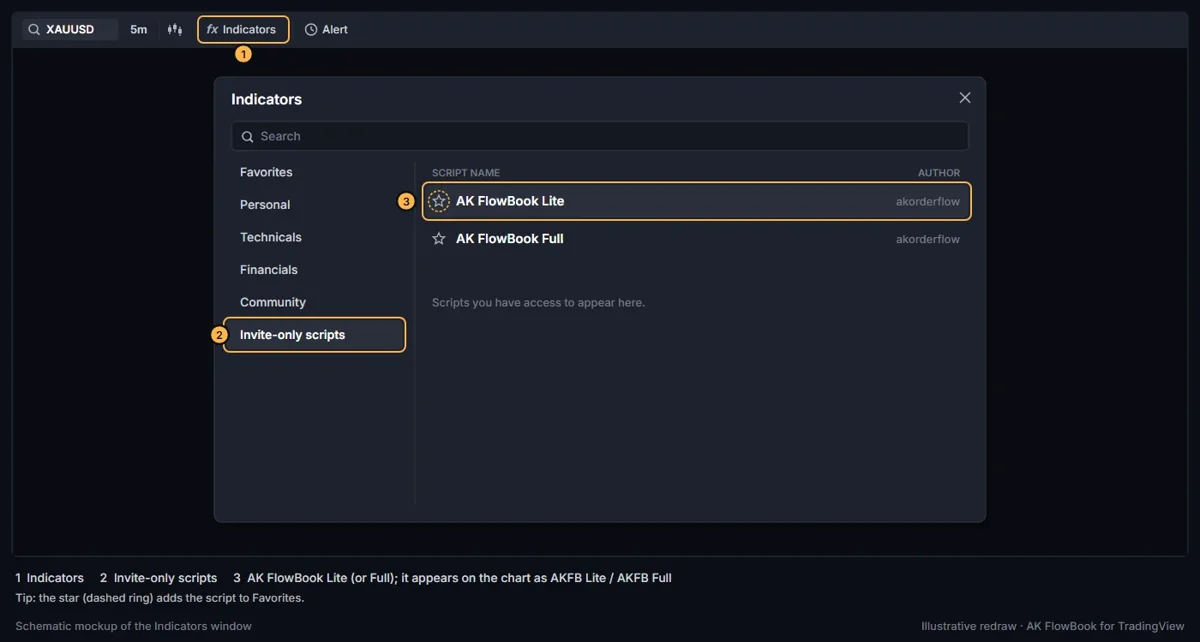
Open Indicators
On any TradingView chart tap “Indicators” in the top toolbar.
Invite-only scripts
Open the “Invite-only scripts” section and tap AK FlowBook Lite or Full. Tap the star to keep it in your favourites.
Problems?
“Username not found”
Copy the username from your TradingView profile address (tradingview.com/u/…), not your email.
I can't see it after 24 hours
Refresh TradingView or log out and in. Still missing? Open a ticket on the support page.
I sent on the wrong network
Do not send again. Open a support ticket with your order ID and the transaction ID.
Where is the transaction ID?
In your wallet's history, open the transfer: it is the long code called TXID, hash or transaction ID.
Education only. Not financial advice. TradingView is a trademark of TradingView, Inc.; we are not affiliated.