Documentation menu
Alerts: delta and candle volume
AK FlowBook has two sound alerts. Both tell you that something happened on a live candle, so you can look at the chart. An alert is a notification, not a recommendation.
| Alert | Default | Sound | Re-arm |
|---|---|---|---|
| Delta alert | On | Alert1.wav | 5 seconds |
| Candle volume alert | Off | Alert2.wav | 10 seconds |
Both alerts work on live candles only. They do not fire while the chart loads history.
Delta alert
The delta alert sounds when the delta of a live candle becomes large, on the buy side or the sell side. See Delta for what delta means.
- Turn it on or off with Delta Sound Alert (Optional) in group 01 Events & Delta.
- The alert text starts with
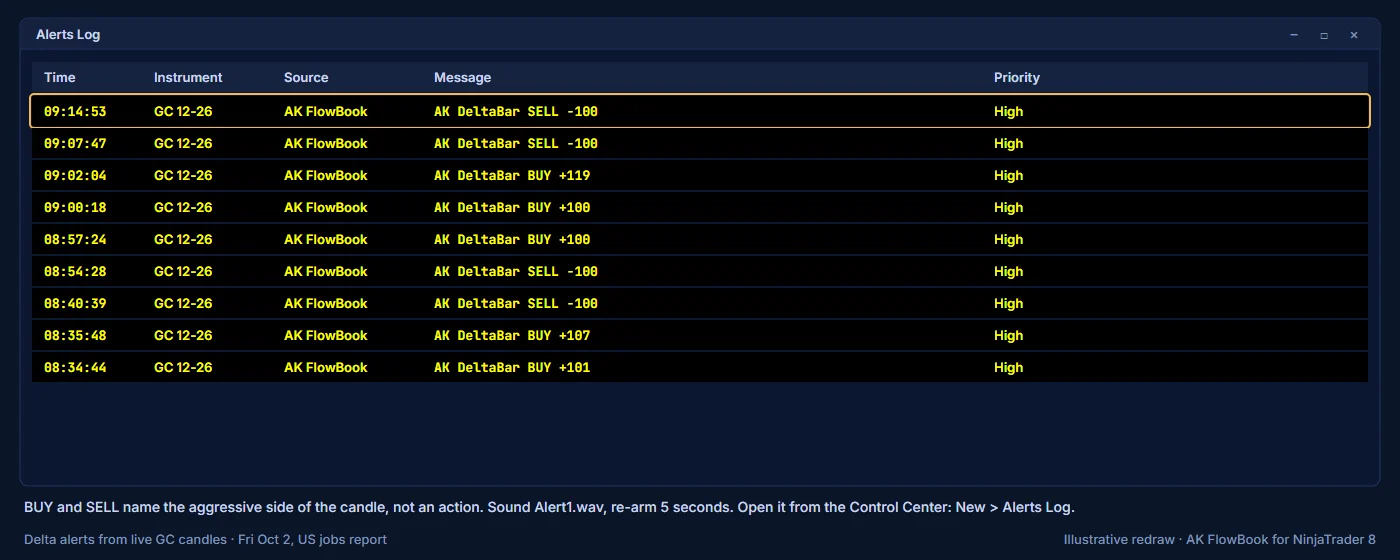
AK DeltaBar BUYorAK DeltaBar SELL, followed by the delta. BUY and SELL name the aggressive side of the candle, not an action to take. - After it fires, it waits 5 seconds before it can fire again.
Candle volume alert
The candle volume alert sounds when a live candle prints volume in one of the strongest volume tiers. See Candle volume filters.
- Turn it on with Enable Realtime Volume Alerts in group 03 Candle Volume Filters. It is off by default.
- Alert From Tier sets the lowest tier that triggers it. The default is tier 4, the red boxes. Alert Rearm Seconds sets the wait before it can fire again.
- The alert text has the form
Candle Volume T4 BUY 320 @ 4251.0: the tier, the side (BUY,SELLorTOTAL), the volume and the price. - After it fires, it waits 10 seconds before it can fire again.
Where alerts appear
AK FlowBook uses NinjaTrader's standard alerts. Each alert plays its sound and is added to the NinjaTrader Alerts Log window. To open it, use New > Alerts Log in the Control Center.
Sounds
Alert1.wav and Alert2.wav are standard NinjaTrader sounds. If you hear nothing:
- Check that the alert is on in the indicator settings.
- Check that the candle is live, not historical.
- Check your Windows volume and NinjaTrader's sound settings.
- Open the Alerts Log to see whether the alert fired without sound.
Tips
- If the delta alert fires too often during fast sessions, such as around scheduled news, turn it off for that period.
- If you only care about the very largest volume, set Alert From Tier to 5.
Education only. Not financial advice. Trading futures and CFDs carries a high risk of loss.