Documentation menu
Info line, banners and data health
Besides the main layers, AK FlowBook shows a few small status items: the info line, the roll banner, the live separator and an optional performance health line.
The info line
The info line runs along the bottom-left of the chart. It is off by default. Turn it on or off with INFO in the MORE list on the toolbar.
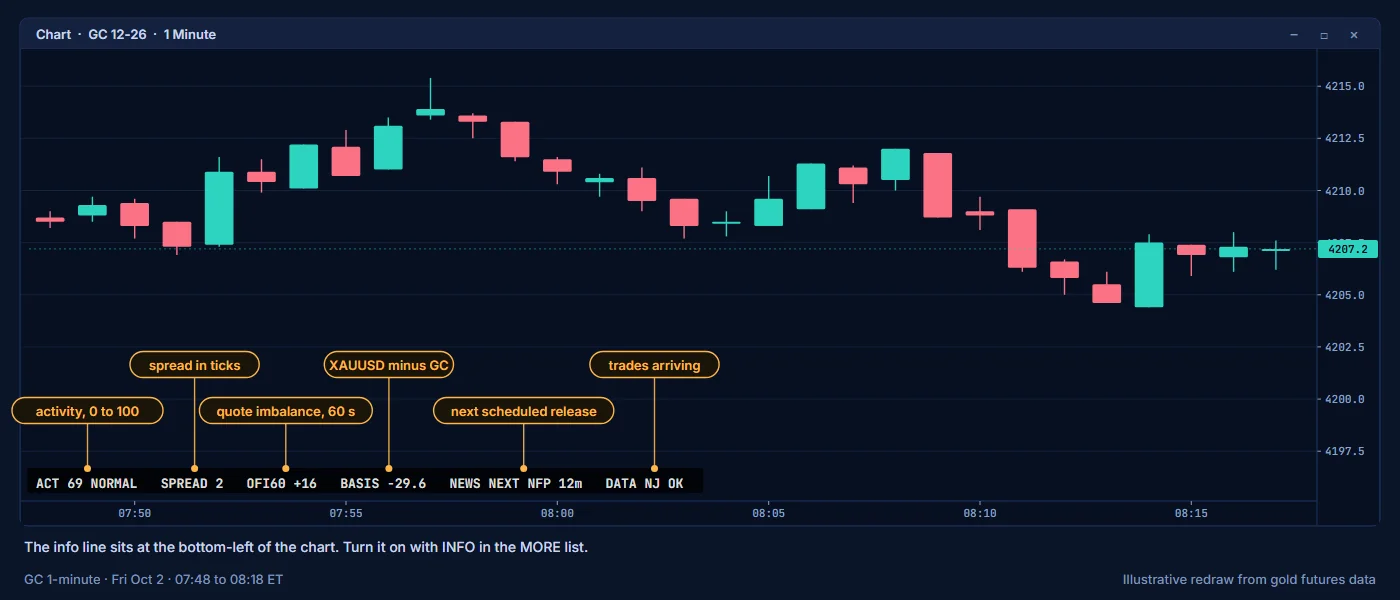
| Item | Example | Meaning |
|---|---|---|
ACT | ACT 72 HIGH | Market activity: the volume of the last 5 minutes ranked against today's 5-minute volumes, from 0 to 100, followed by LOW, NORMAL, HIGH or VERY HIGH. ACT ? early in the session. |
SPREAD | SPREAD 1 | The current bid-ask spread in ticks. A warning tag is added when the spread is unusually wide. |
OFI60 | OFI60 +35 | Order-flow imbalance at the best bid and ask over the last 60 seconds, in lots: positive when the bid side gained more size than the ask side, negative when the ask side did. When quotes have not updated for a few seconds, it reads OFI60 ? with the age in brackets, for example OFI60 ? (12s). |
BASIS | BASIS -28.9 | XAUUSD minus GC: the value AK FlowBook adds to a GC price to get its XAU equivalent. It is negative while GC trades above spot. BASIS ? when no fresh basis is available. |
NEWS | NEWS NEXT CPI 12m / LAST 45m ago | The next scheduled news event and the time to it, then the time since the last one (shown for 24 hours). Times above 90 minutes are in hours, for example 2.5h. |
DATA | DATA NJ OK | NJ OK while trades arrive from NinjaTrader. NJ STALE when no trade has arrived for more than a minute. |
BASIS and NEWS show values only when that data is available. When there is no fresh basis, BASIS ? is shown and the XAU part of session labels is hidden too. See Session levels.How to use it:
- A wide spread or
ACTatVERY HIGHtells you the market is fast. Order book readings change quickly in these moments. NEWS NEXTwith a small number of minutes is a reminder that a scheduled release is close. Liquidity often thins out just before news.BASISlets you convert any GC level to XAUUSD: add the BASIS value, sign included. See Using futures levels as a CFD trader.
The roll banner
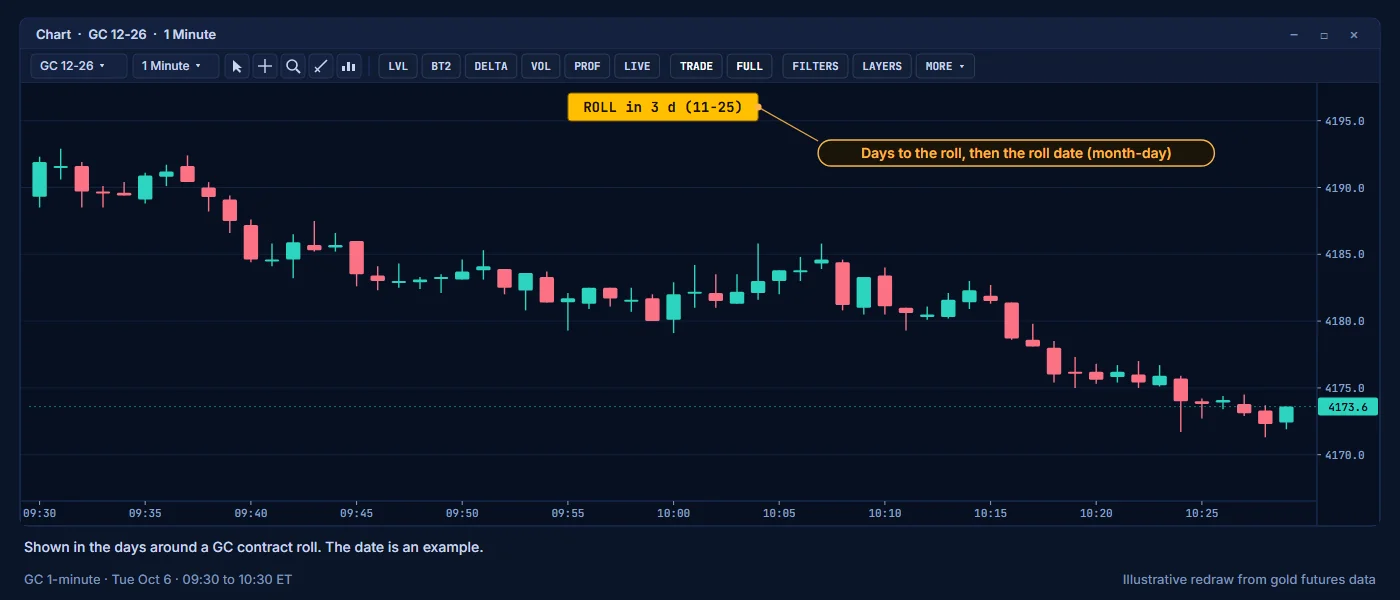
GC futures expire, and volume moves from one contract month to the next around the roll. In the days around a roll, an amber banner appears at the top of the chart. Turn it on or off with ROLL in the MORE list on the toolbar.
| Banner | Meaning |
|---|---|
ROLL in 3 d (11-25) | The roll is 3 days away, on the date shown (month-day). |
ROLL today (11-25) | The roll is today. |
ROLL overdue 2 d (11-25) | The roll date passed 2 days ago. Check that your chart is on the active contract. |
The banner shows within 5 days of the roll. Around the roll, the basis between GC and XAUUSD also changes, because the new contract expires later.
The live separator
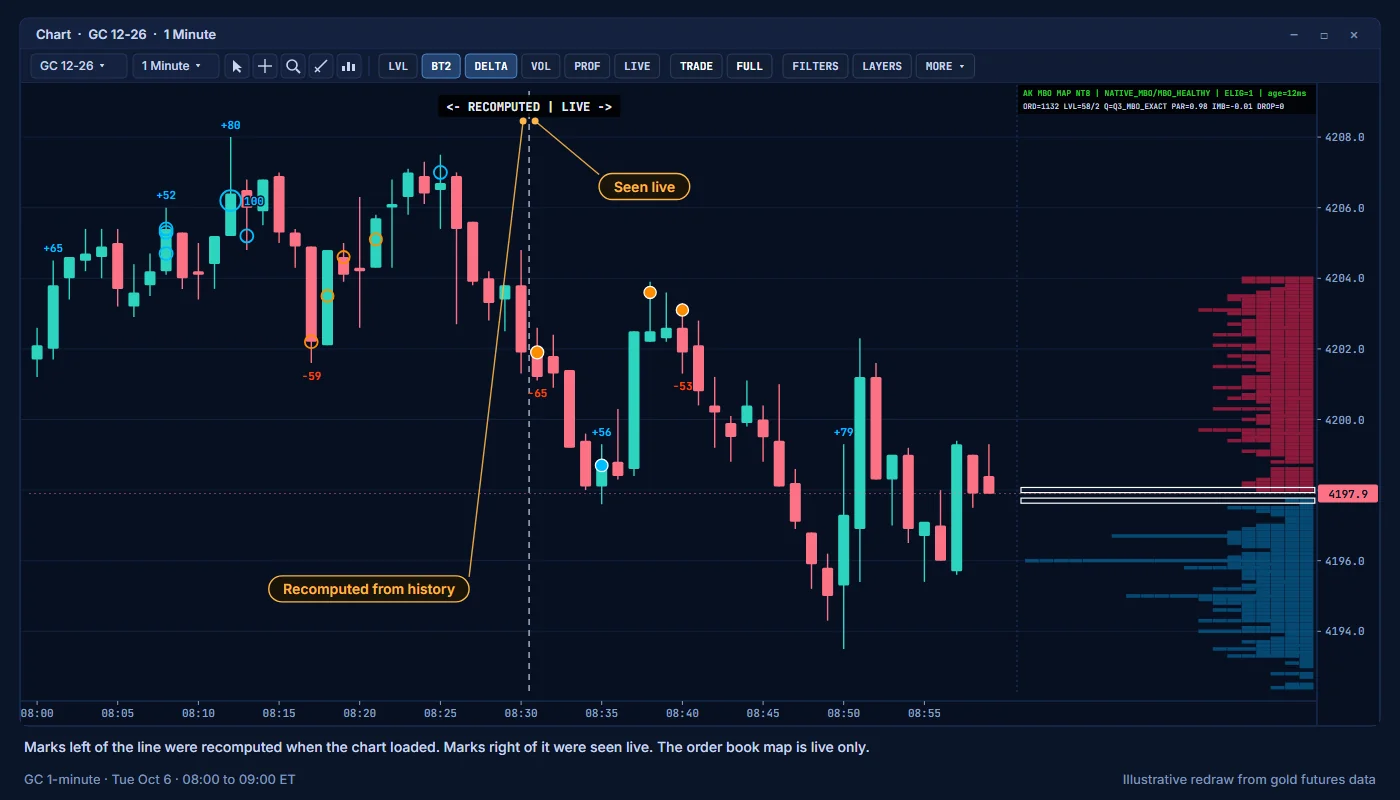
When you open a chart, AK FlowBook recomputes marks for the history it loads, then continues live. A dashed vertical line marks the switch: <- RECOMPUTED | LIVE ->.
- Marks on the left were recomputed from historical data.
- Marks on the right were seen live.
- Right after a load, NinjaTrader can replay a few minutes of buffered data. Those bars sit in a light amber band between
<- RECOMPUTED | CATCH-UPandCATCH-UP | LIVE ->. - Turn on LIVE on the toolbar to show only marks seen live. The separator then reads
LIVE ->.
The order book is live only, so the map and iceberg marks start on the live side.
Performance health
Show Performance Health (Advanced) (group 00 General) adds a line of technical figures, such as feed rates, queue lag and render time, to the header of the ladder panel. It is off by default, and the ladder panel is replaced by the MBO Price Map by default. Most users only need the map header and the DATA row of the market context panel.
Education only. Not financial advice. Trading futures and CFDs carries a high risk of loss.